Logging Out from a Wallet⚓︎
This page explains how to log out from the active wallet in the Symbol Mobile Wallet App.
Logging out removes the wallet data from this device. The accounts and assets still exist on the blockchain, but they will become inaccessible unless you have a copy of the wallet's mnemonic phrase and the private keys of any imported external accounts.
Back up your wallet before logging out
Make sure you have backed up the wallet's mnemonic phrase before logging out. If the wallet contains external accounts, also make sure you have backed up their private keys.
Prerequisites⚓︎
-
Make sure you have installed the Symbol Mobile Wallet. If you have not done that yet, see the Installing the App guide.
-
You must already have a wallet set up and unlocked in the app. See Creating a Wallet or Importing a Wallet if needed.
-
You need the wallet PIN code.
How to Log Out from a Wallet⚓︎
Follow these steps to log out from the active wallet:
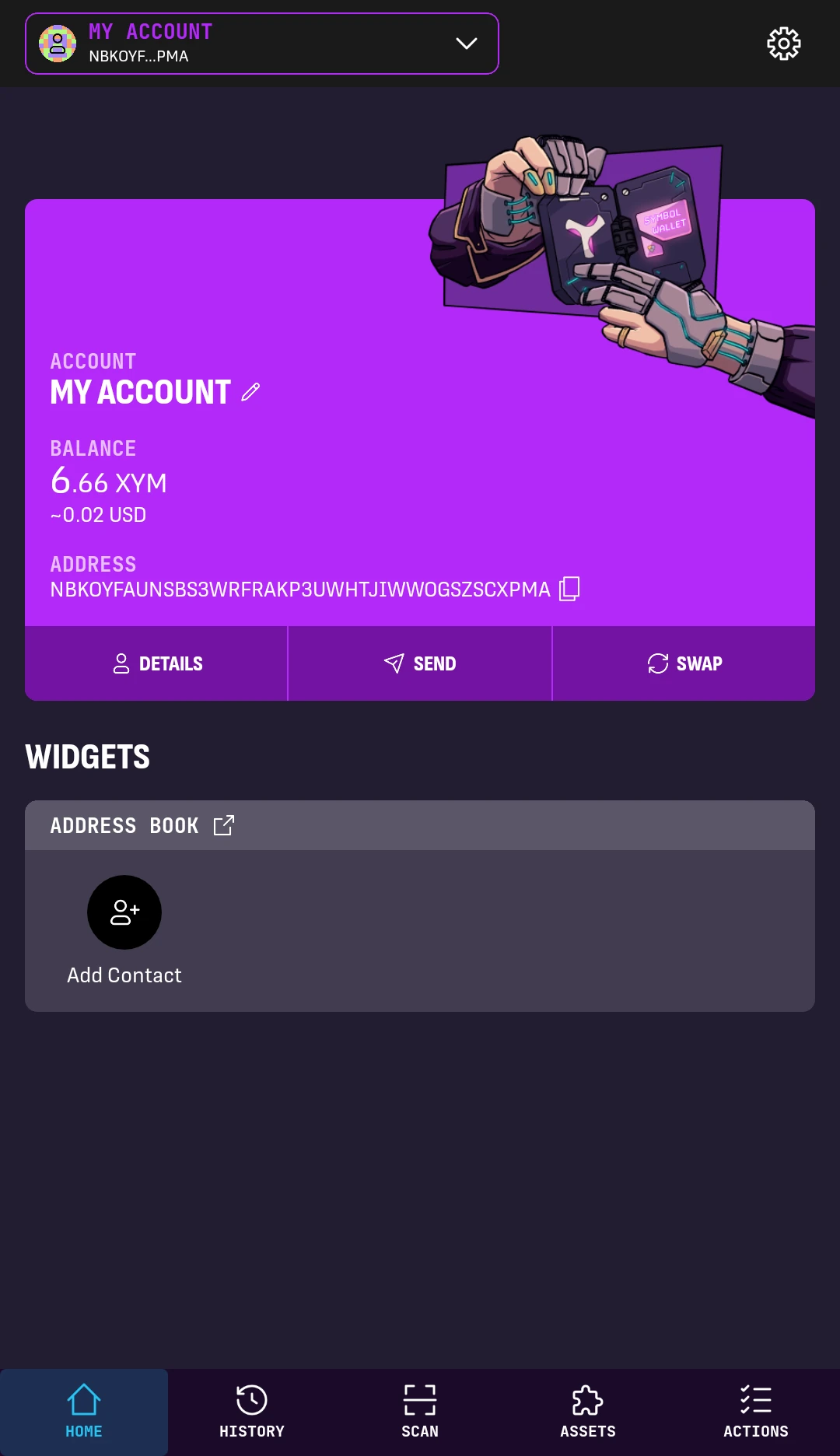
1. From the wallet's HOME screen, tap the Settings button in the top-right corner.
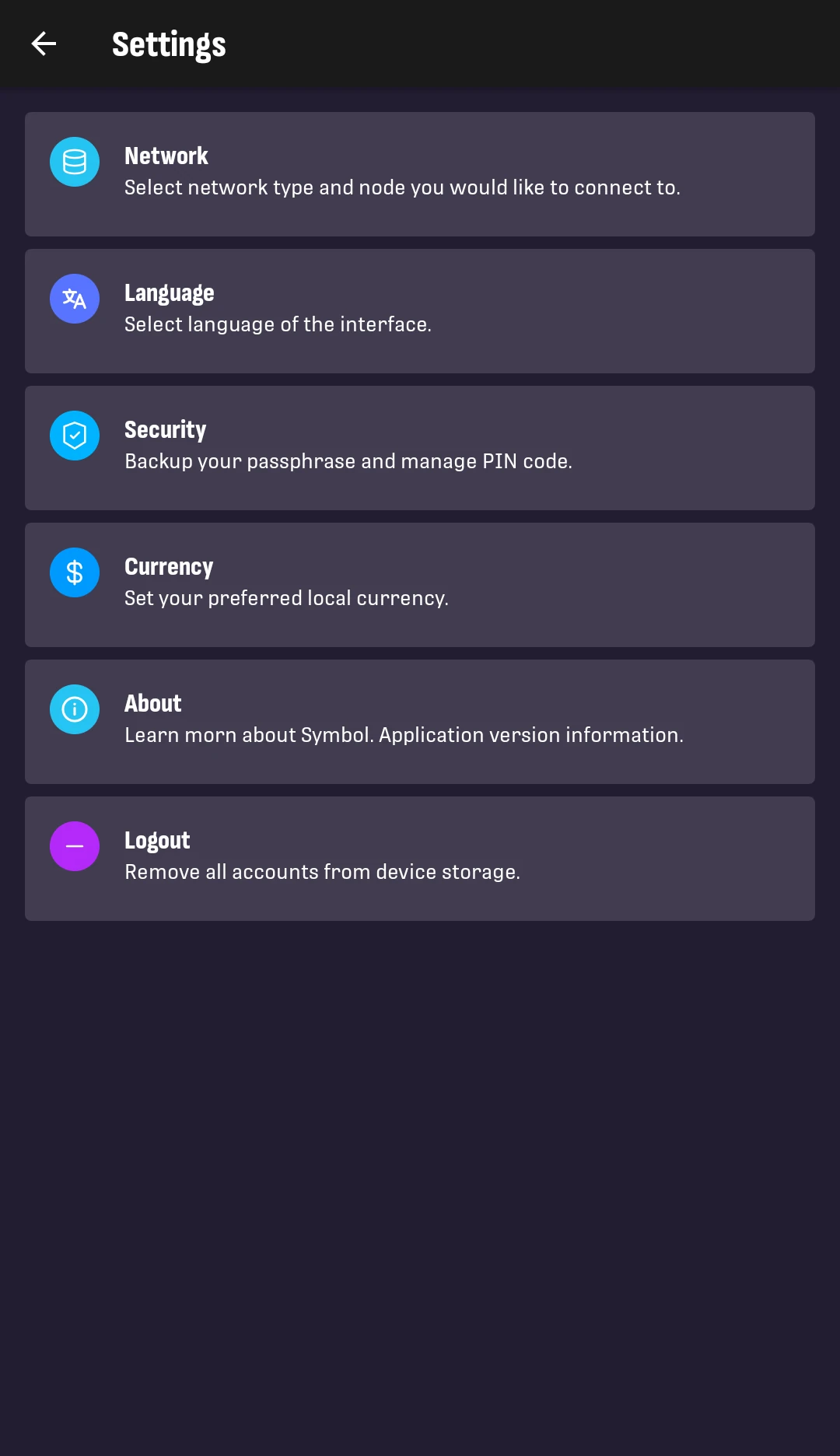
2. Tap Logout.
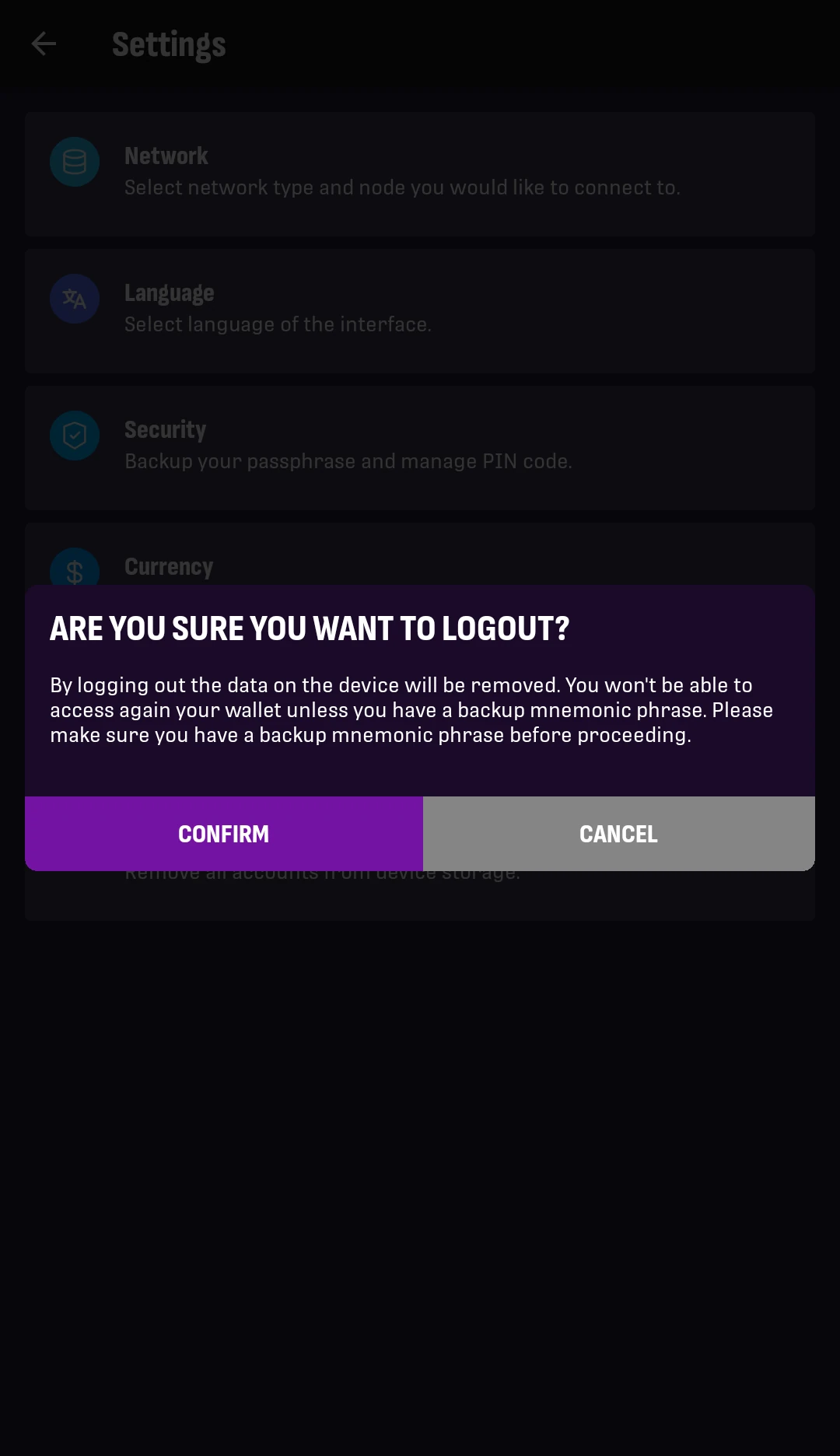
3. Read the confirmation message.
If your mnemonic phrase and any external account private keys are backed up, tap Confirm.
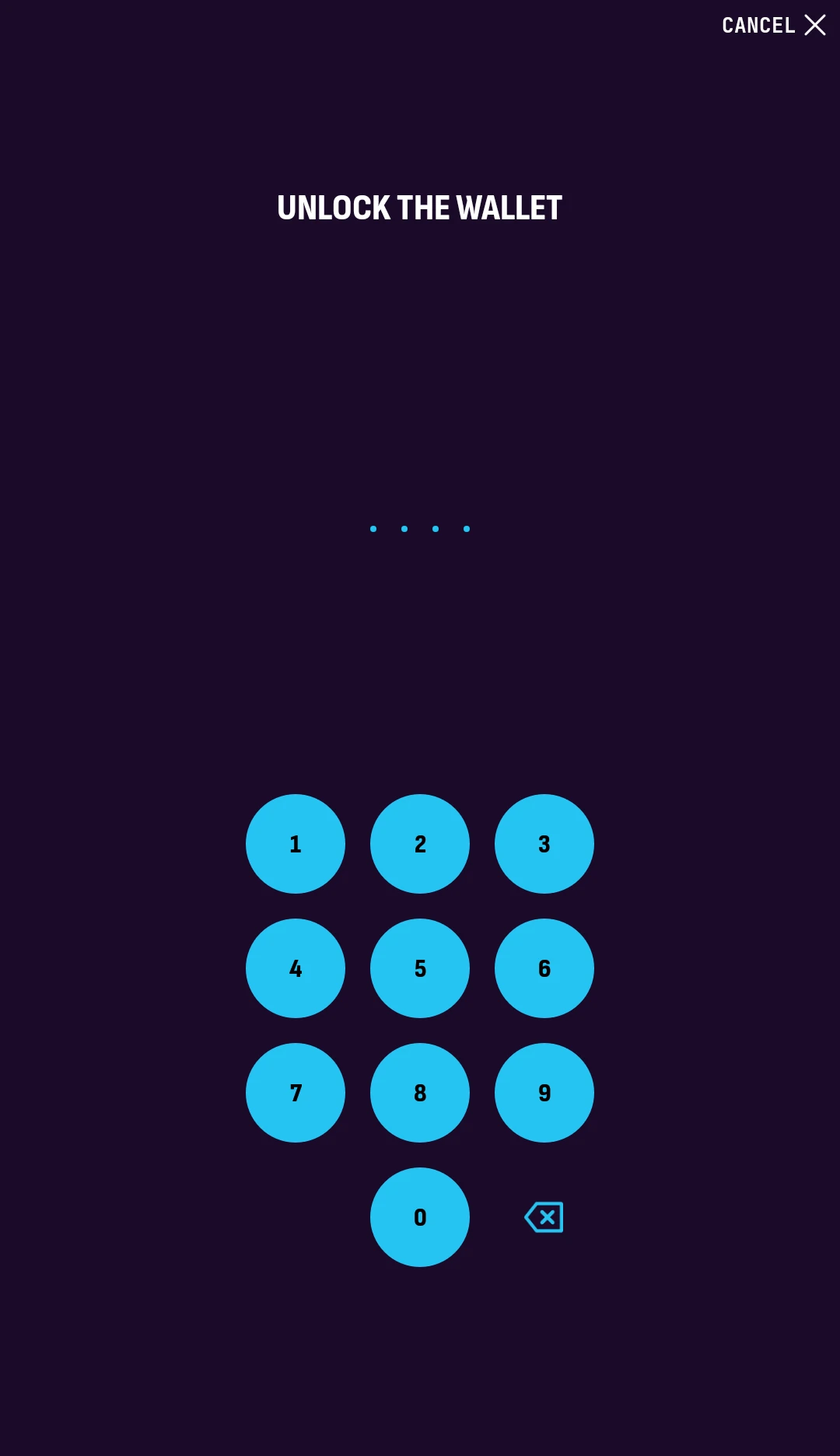
4. Enter your PIN code to unlock the wallet and confirm the logout.
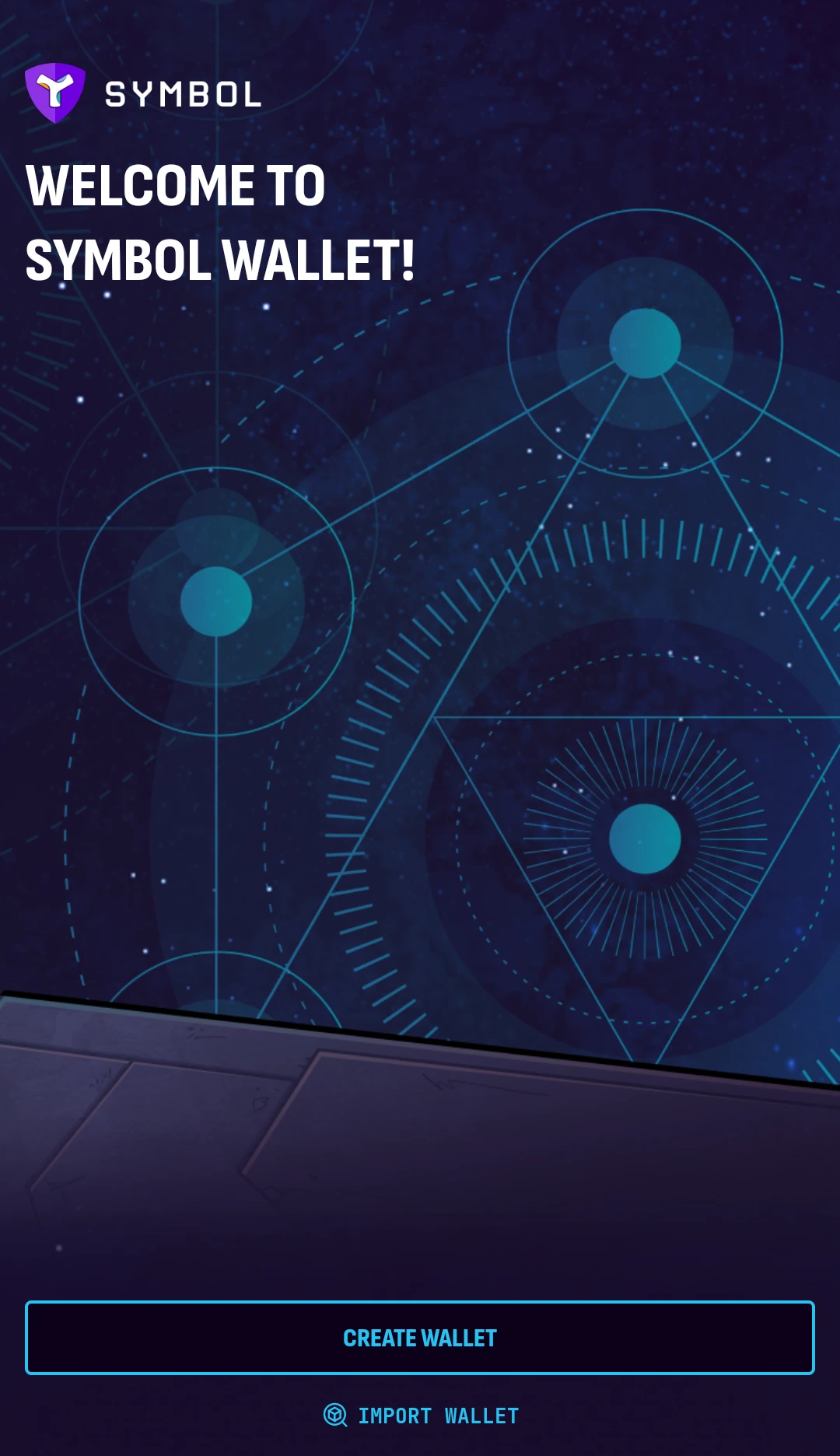
You will be taken back to the welcome screen:
Next Steps⚓︎
You are now logged out from the wallet on this device.
- To restore the same wallet later, follow Importing a Wallet.
- To restore external accounts later, follow Importing an Account.
- To start fresh, follow Creating a Wallet.