Exporting a Wallet Backup Phrase⚓︎
This page explains how to view and back up the mnemonic phrase for the active wallet in the Symbol Mobile Wallet App. You can use this phrase later to import the wallet on the same device or another device, which will include all its seed accounts.
External accounts are not included in this backup. To back up each external account, follow Exporting an External Account.
Keep your mnemonic phrase secret
Anyone with your mnemonic phrase can control the accounts derived from it.
Store it somewhere secure and offline, and never share it with anyone.
Prerequisites⚓︎
-
Make sure you have installed the Symbol Mobile Wallet. If you have not done that yet, see the Installing the App guide.
-
You must already have a wallet set up and unlocked in the app. See Creating a Wallet or Importing a Wallet if needed.
-
You need the wallet PIN code.
How to Export a Wallet Backup Phrase⚓︎
Follow these steps to view the mnemonic phrase for the active wallet:
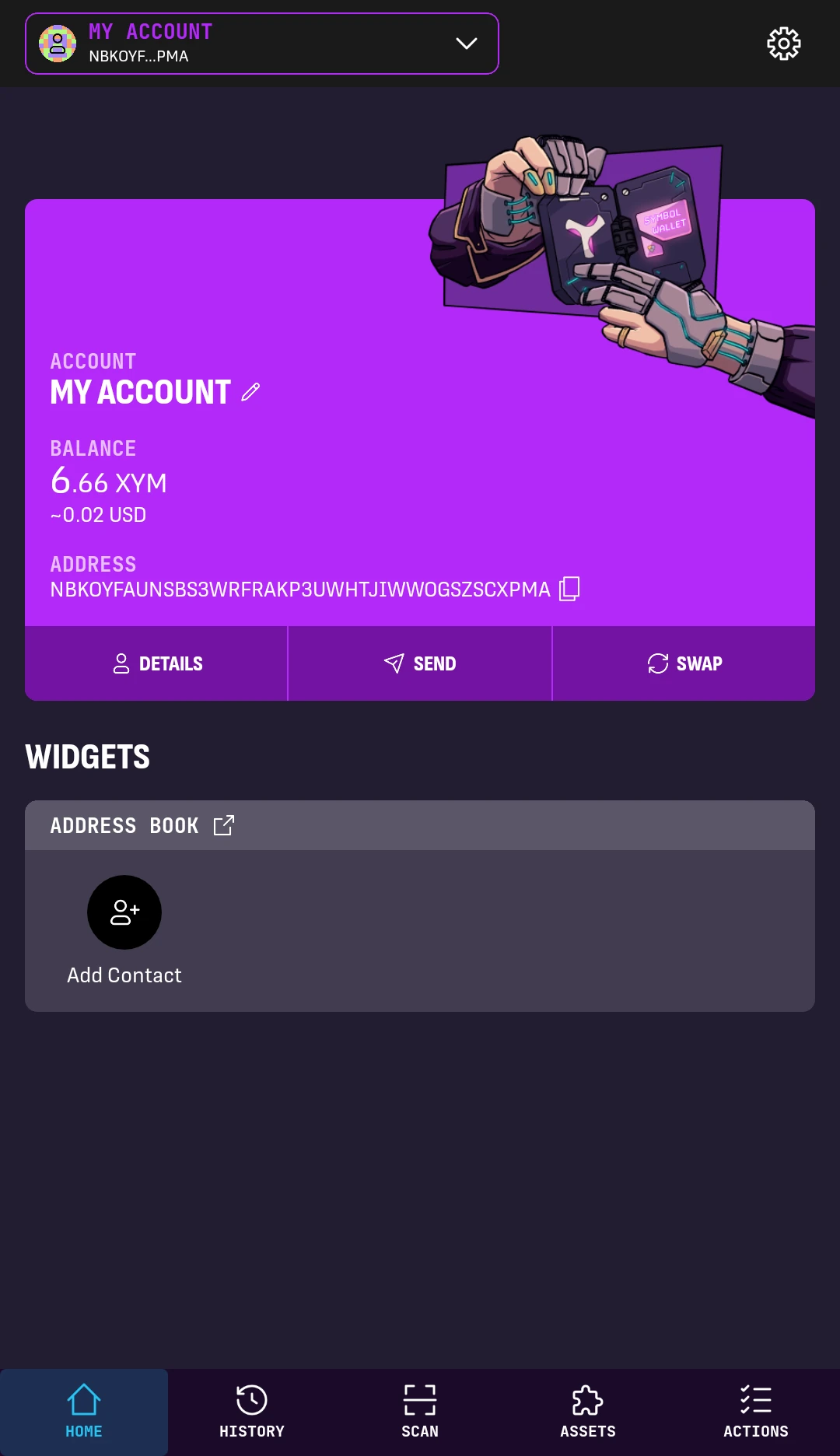
1. From the wallet's HOME screen, tap the Settings button in the top-right corner.
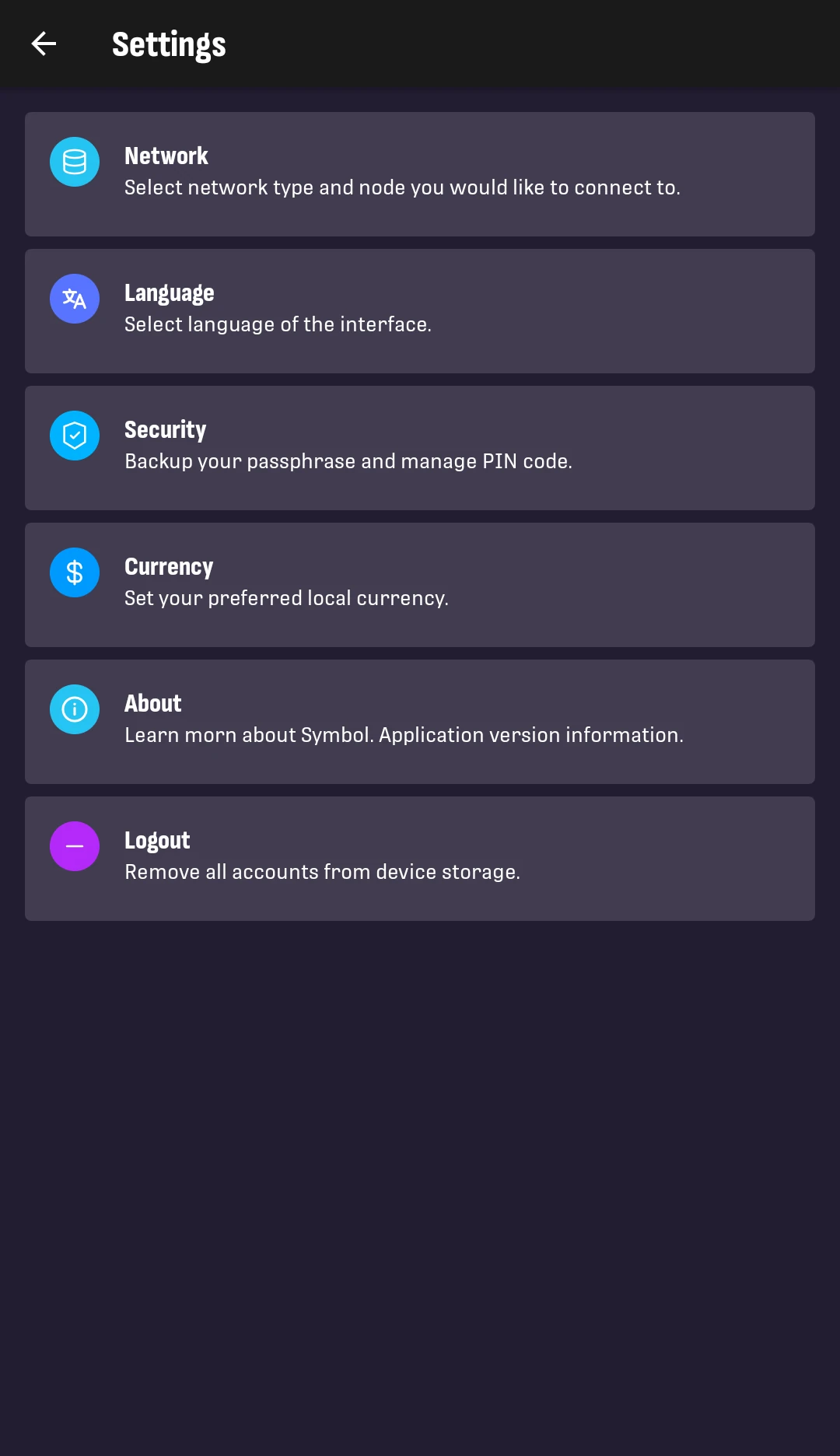
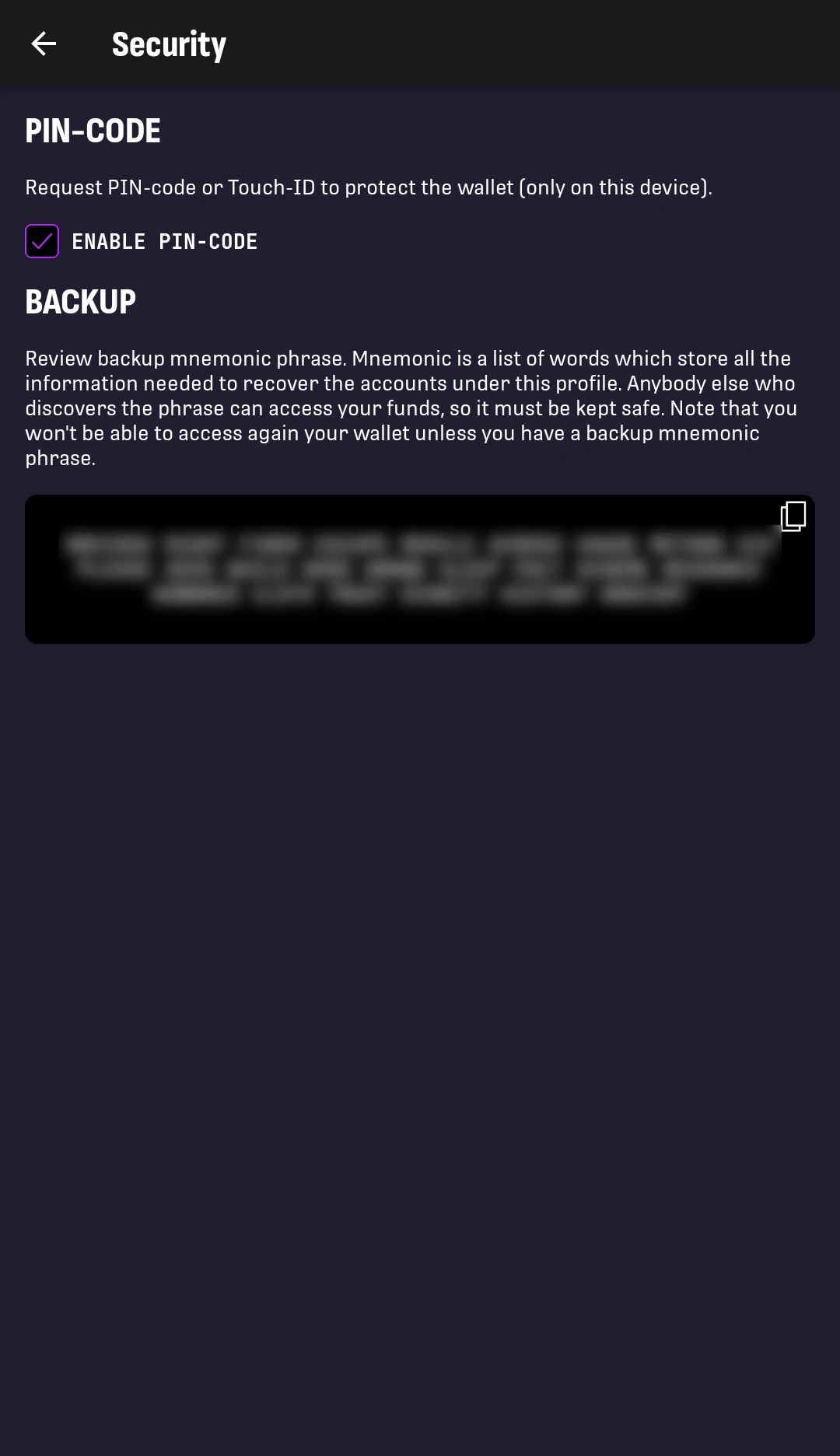
2. Tap Security.
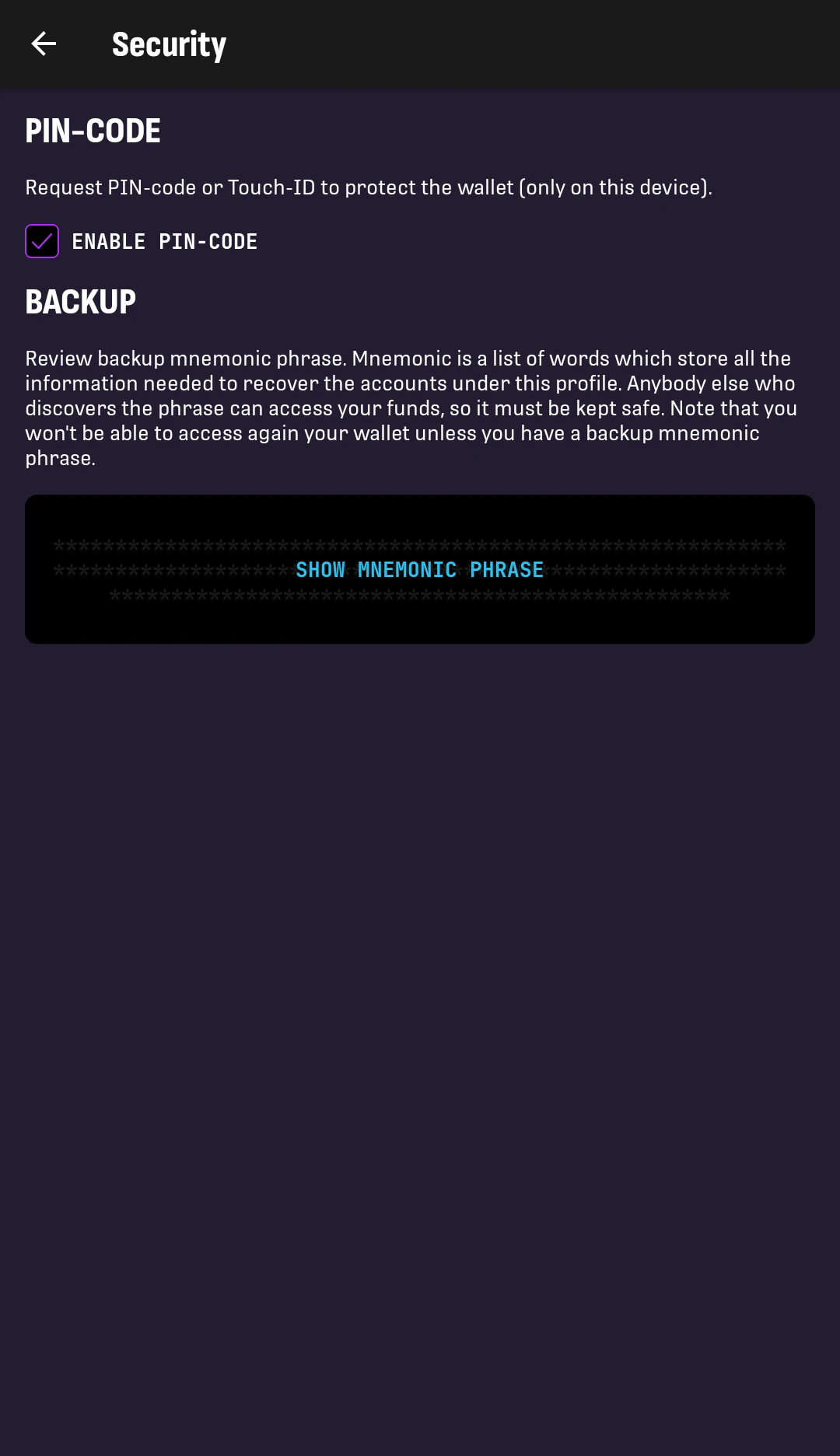
3. Tap SHOW MNEMONIC PHRASE.
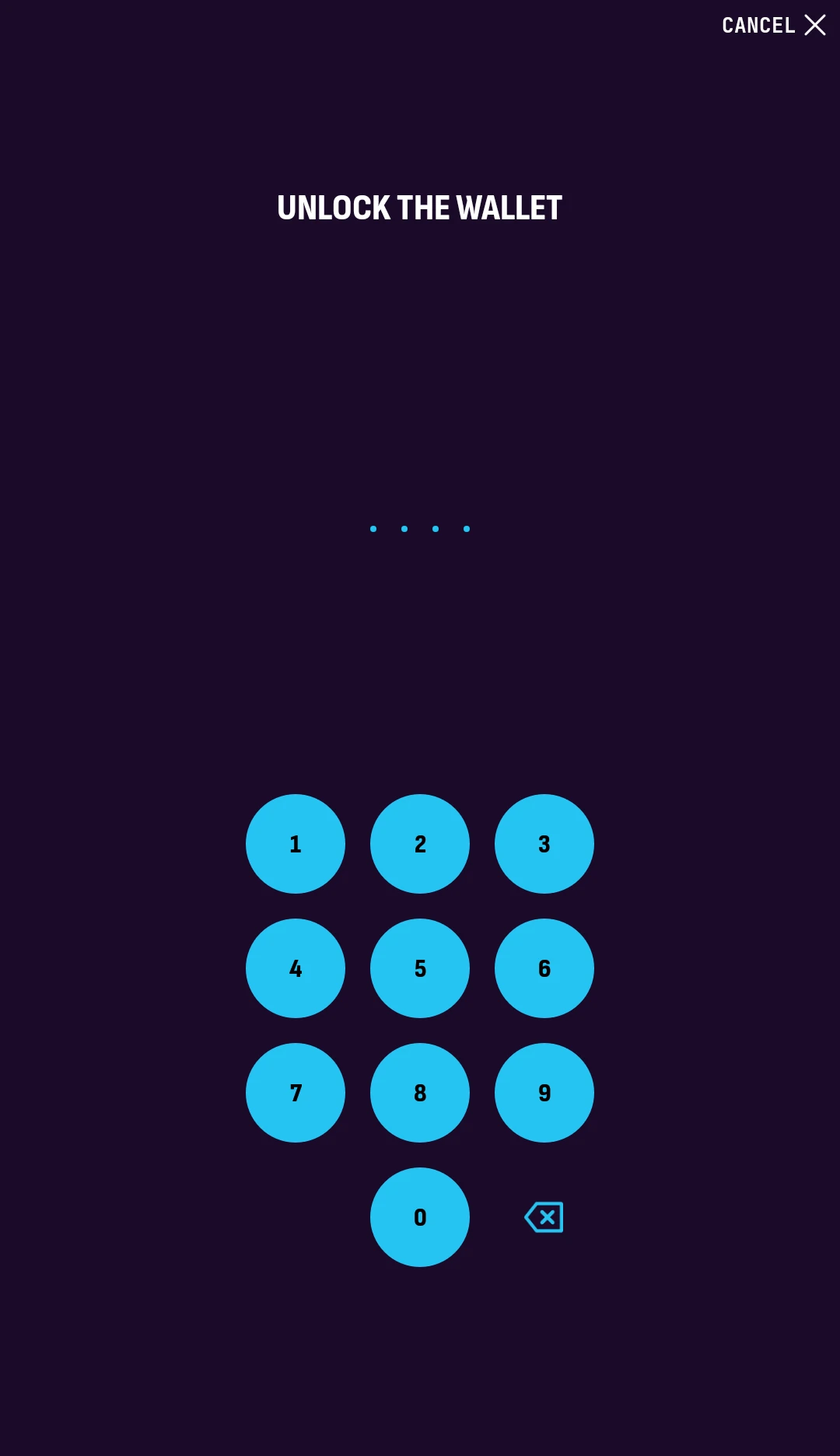
4. Enter your PIN code to unlock the wallet.
The mnemonic phrase will be shown on screen. Write the words down in the exact order shown and store them somewhere safe, such as an offline backup location.
Next Steps⚓︎
Your wallet backup phrase is now backed up.
- Keep the backup secure and offline.
- Use the phrase to import the wallet if you need to restore access to its seed accounts later.
- Back up each external account separately by following Exporting an External Account.
- Review the Security guide for more advice on protecting wallet backups.