Changing the Node⚓︎
This page explains how to change the node used by the Symbol Mobile Wallet App.
The app connects to a node to read information from the Symbol blockchain and announce transactions. Your funds are not stored on the node, so changing nodes does not move your funds or change your accounts.
Changing the node can be useful when the current node becomes unresponsive, slow, or temporarily out of sync. You can also select a node closer to your location to improve responsiveness. Node locations and status information are listed at symbol.fyi/nodes.
If you are not sure which node to use, choose Select automatically and let the app pick one.
Prerequisites⚓︎
-
Make sure you have installed the Symbol Mobile Wallet. If you have not done that yet, see the Installing the App guide.
-
You must already have a wallet set up and unlocked in the app. See Creating a Wallet or Importing a Wallet if needed.
How to Change the Node⚓︎
Follow these steps to change the node used by the app:
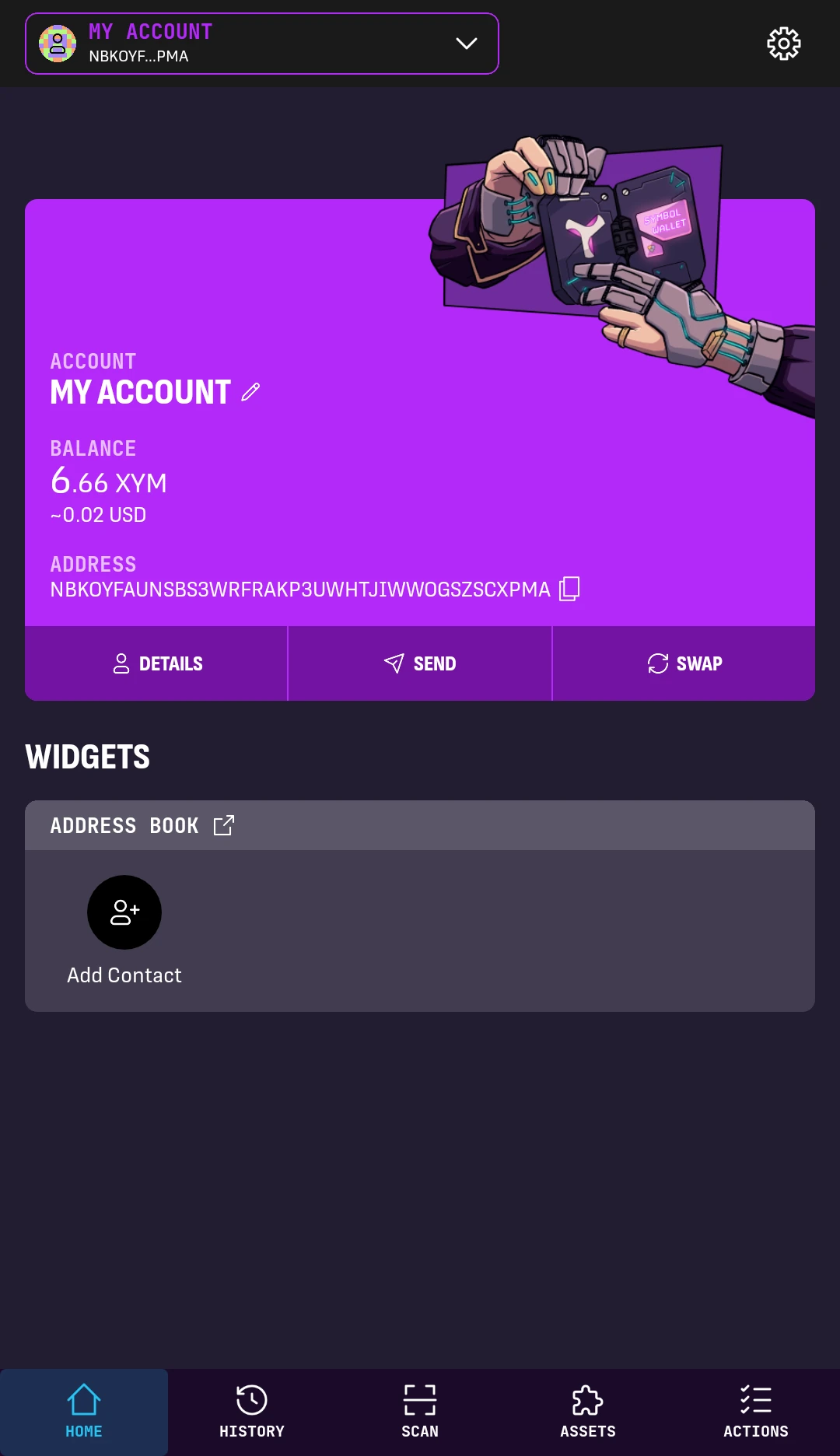
1. From the wallet's HOME screen, tap the Settings button in the top-right corner.
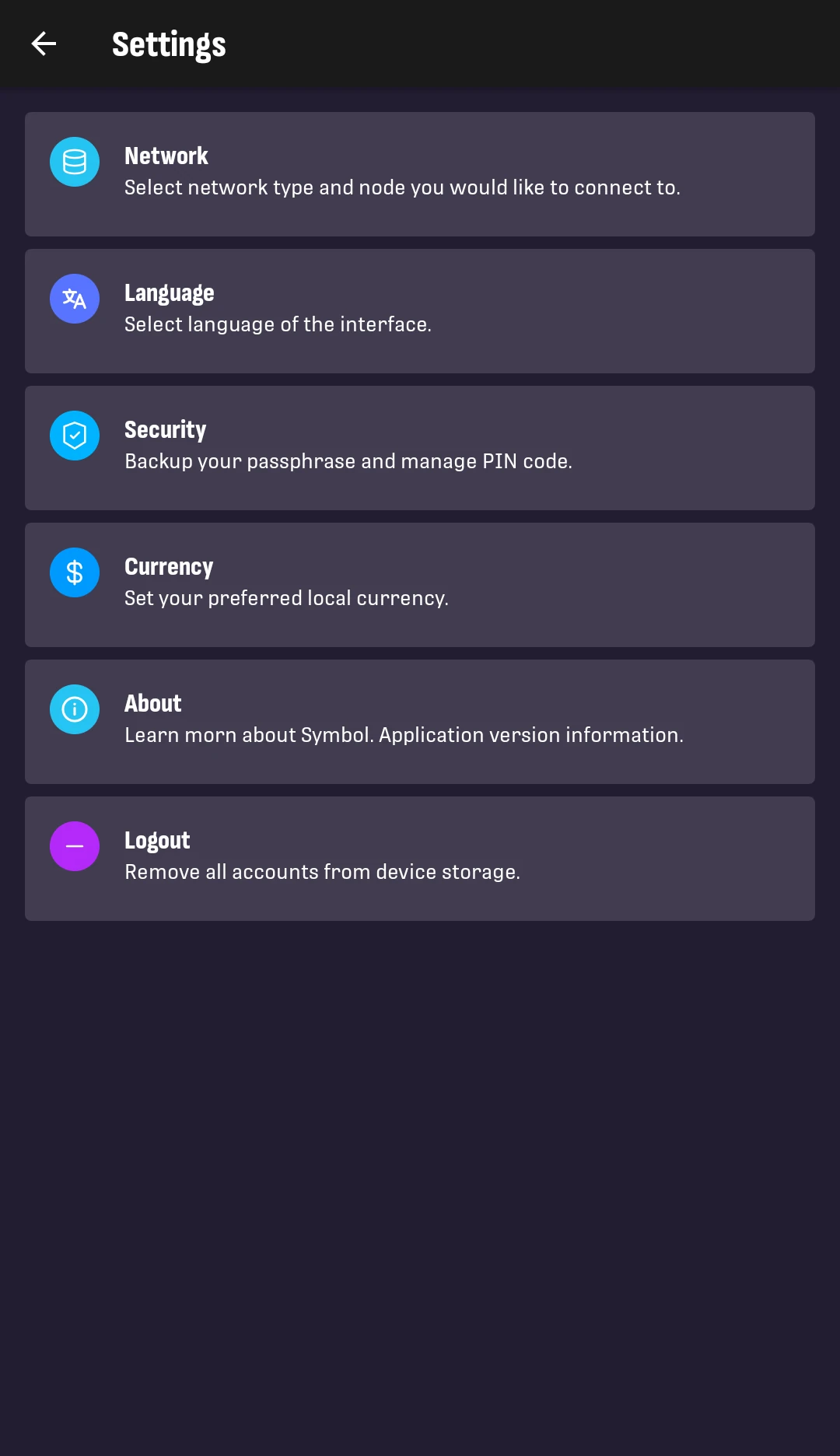
2. Tap Network.
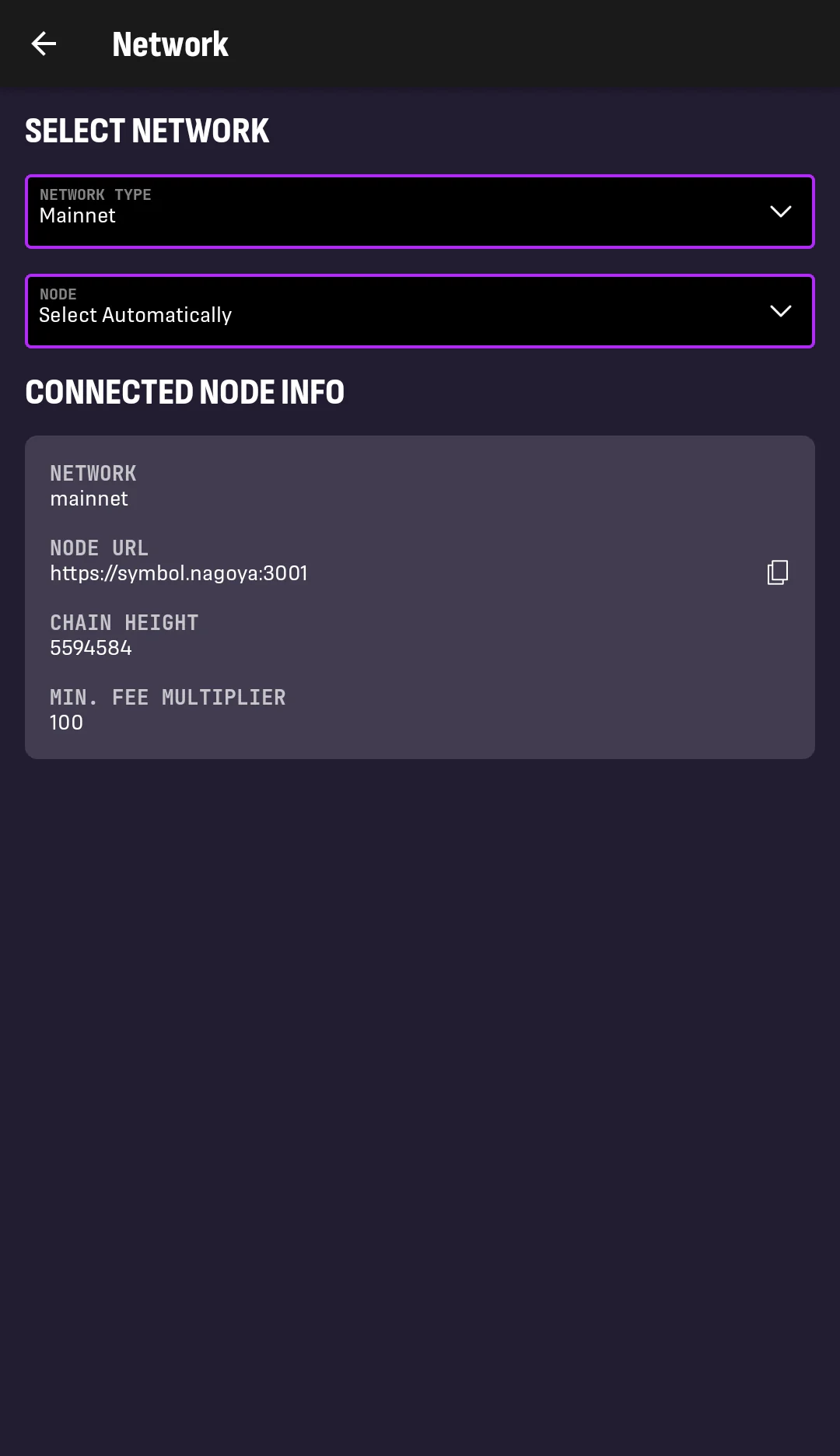
3. The CONNECTED NODE INFO box shows information reported by the node currently used by the app.
Tap the NODE dropdown to change it.
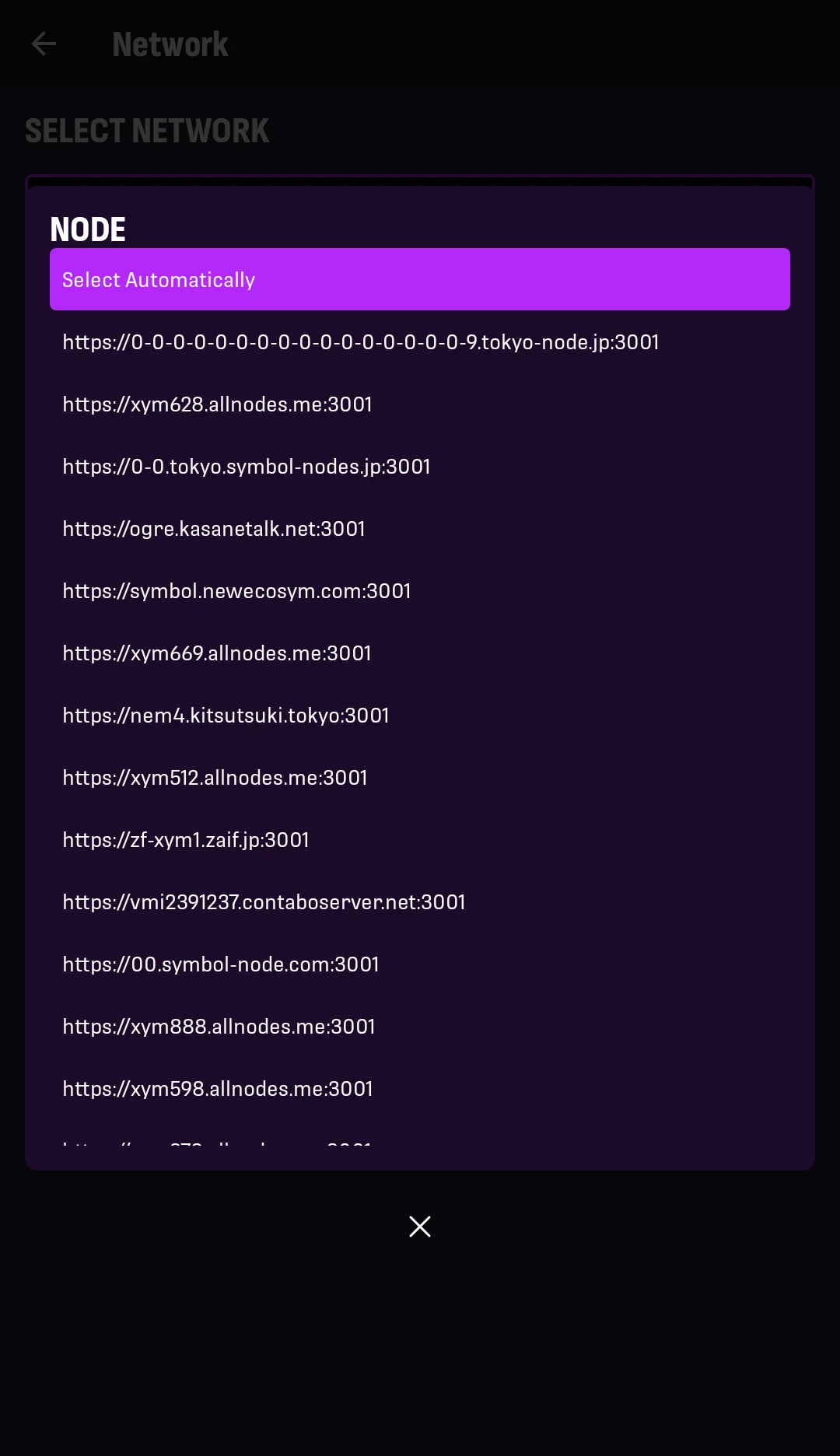
4. Select a node from the list, or select Select Automatically.
After selecting a node, you are taken back to the Network screen. In the updated CONNECTED NODE INFO box:
-
CHAIN HEIGHT shows the latest block known to the connected node. This should be the same independently of which node you use. If it is noticeably lower than on other nodes, switch to a more up-to-date node.
-
MIN FEE MULTIPLIER affects how expensive it is to announce transactions through that node. A higher value can make transactions more expensive. See Sending Funds and Messages for where transaction fees are selected.
The app will use the selected node for future blockchain queries and transaction announcements. You can change nodes as often as you want while looking for the one that works best for you.
Not all nodes allow connections from apps
The Symbol network is mostly composed of peer nodes that constantly interact with each other, validating transactions and maintaining the blockchain's integrity.
Only a subset of them are also API nodes, which allow connections from programs like the Symbol Mobile Wallet.
This is why the list of nodes shown in the app may be much shorter than the full list of nodes in the network.